Templates
When you create a diagram from a template, DataParade loads a JSON graph from frontend/public/templates/, runs it through the same pipeline as other imports, and opens the canvas with nodes and flows already placed. Each template is tuned for a different story (web app, vendor integration, batch data, privacy collection, and so on).
Below, what it has summarizes the kinds of actors, assets, third parties, and data flows you will see on the canvas (counts are approximate; open the JSON for exact IDs). For the underlying type catalogues, see Node Types.
Previews use screenshots from the app (docs-site/public/template-previews/*.png), except All Node Types Showcase, which keeps a small SVG sketch because the diagram is too large to thumbnail cleanly.
Simple Web Application Flow
Best for: A first walkthrough of a classic browser → API → database path.
What it is: One End User actor connects left-to-right to Web Application Frontend, API / Backend Service, and Database—matching the template JSON labels on the canvas.
What it has: 1 actor, 3 assets (website, service, database types in JSON), 3 data flows named User Request, API Request, and Database Query (same as engineering.name on each edge).

Third-Party Integration Pattern
Best for: Showing how your systems call an external vendor and where data lands.
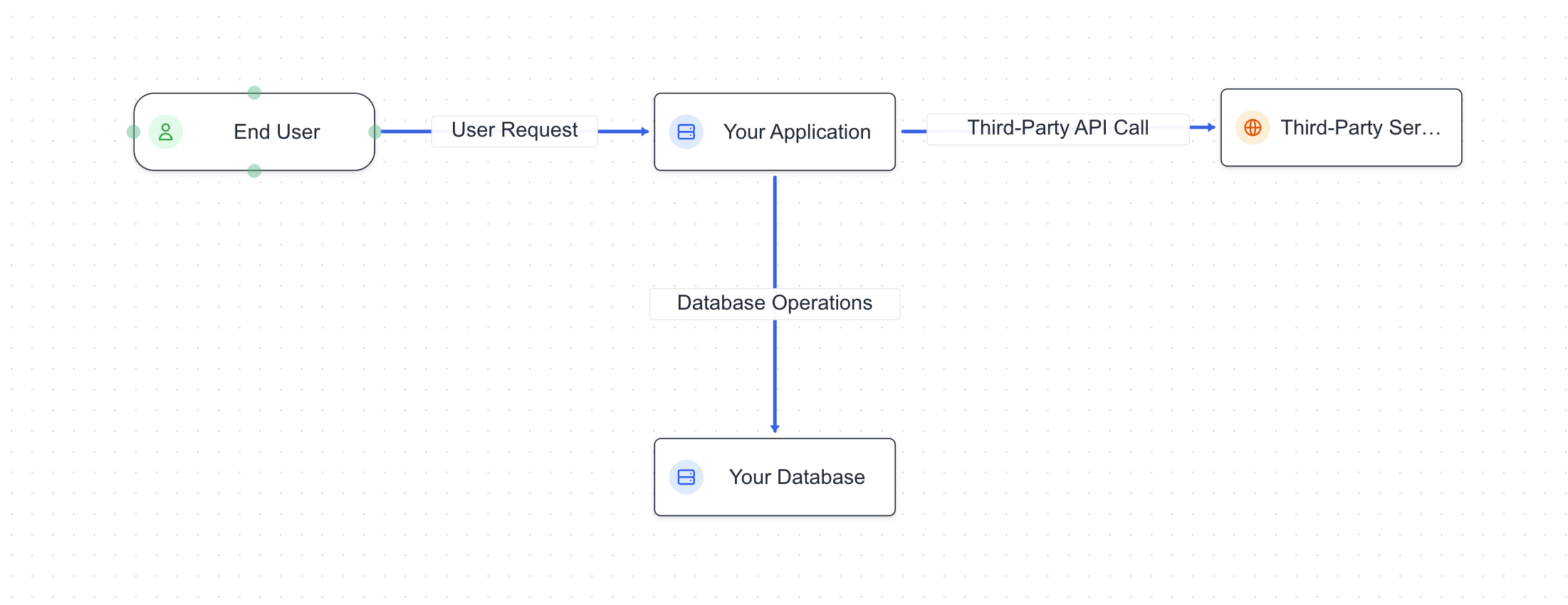
What it is: A customer actor talks to your application, which calls a third-party service (modelled as a payment-style integration with DPA, SCCs, and shared categories) and reads/writes your database. Useful when you care about vendor jurisdiction, integration method, and cross-boundary data categories.
What it has: 1 actor, 2 assets (application, database), 1 third-party service, several data flows linking user → app → vendor → database.
Multi-Tier Architecture
Best for: DMZ / layered deployment—public edge, app tier, data, and object storage.
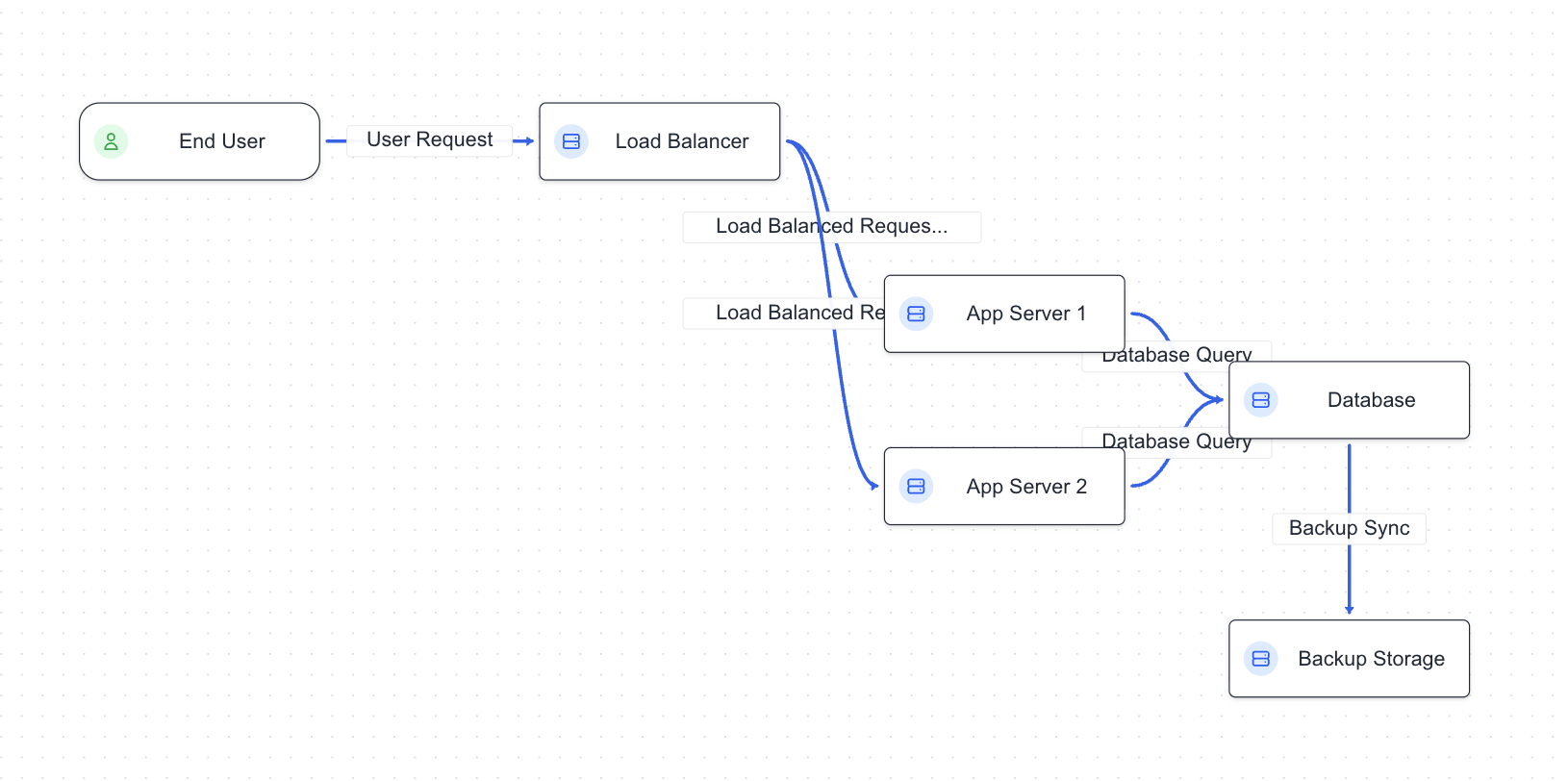
What it is: Traffic enters through a load balancer (infrastructure in a public-style zone), fans out to two redundant app servers, persists in a database, and can reach cloud storage. The layout suggests network boundaries and horizontal scale more than a single monolith.
What it has: 1 actor, multiple assets (load balancer, two services, database, cloud storage), and a richer set of flows between tiers.
Data Processing Pipeline
Best for: ETL, batch, or “extract → transform → load” narratives.
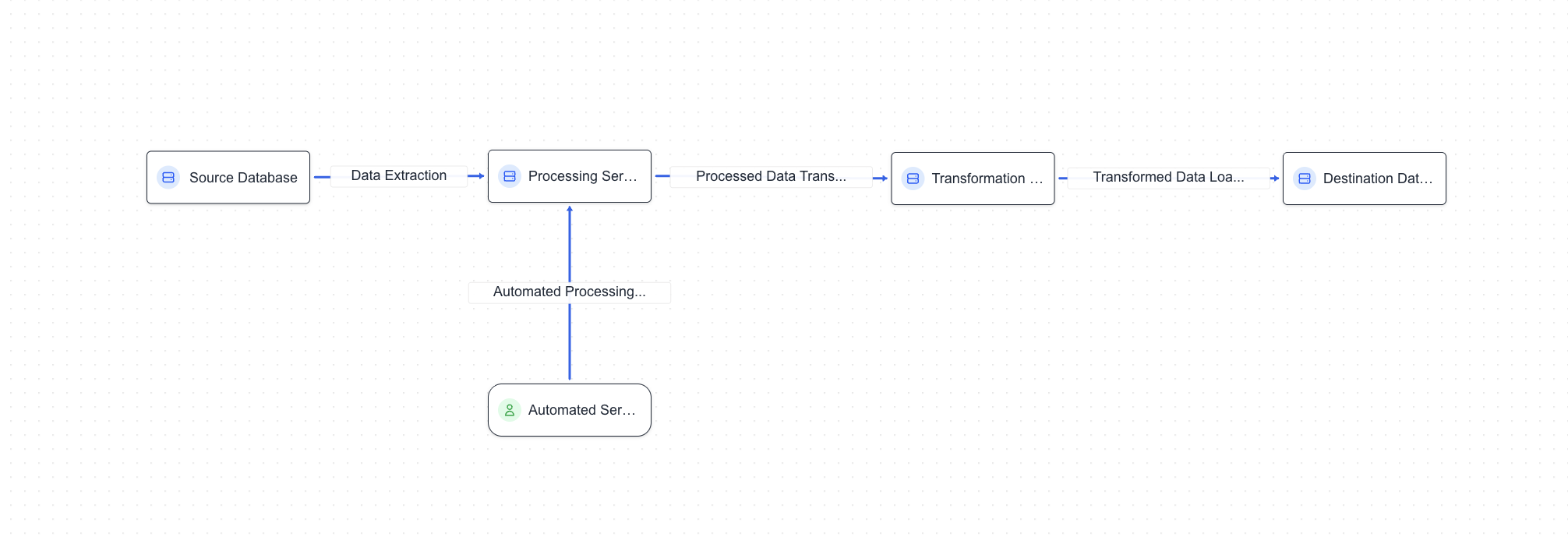
What it is: All processing steps are assets (source database, processing service, transformation service, destination database) plus an automated service actor that represents scheduled or batch work. Stacks call out tools like Airflow, Pandas/Spark, and PostgreSQL so engineering metadata matches a data-platform mental model.
What it has: 4 pipeline assets, 1 automated actor, multiple data flows along the pipeline (including feedback-style paths where the JSON defines them).
Customer Data Collection Flow
Best for: Consent-first collection—forms, consent records, storage, and marketing/analytics touchpoints.
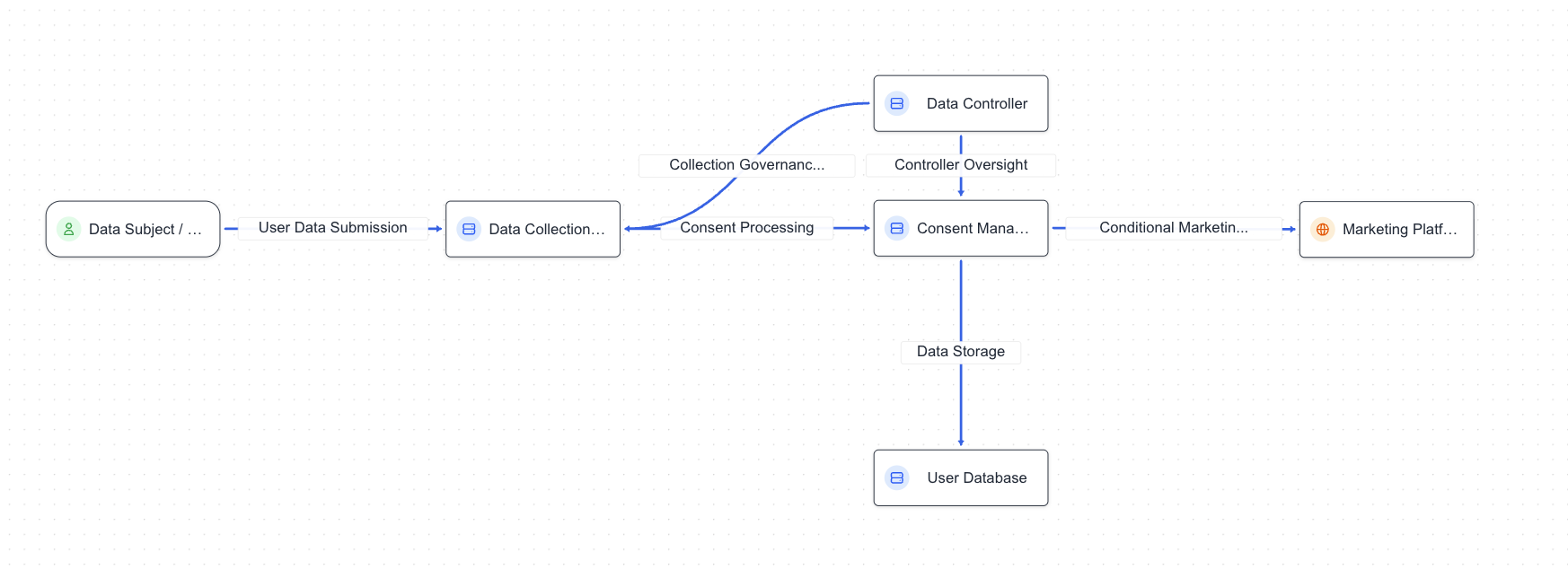
What it is: A data subject actor submits data through a collection form (website). A consent management application records preferences; a user database stores profiles; an ad network third party receives shared categories for ads; a separate analytics application consumes events. Privacy fields lean on consent as legal basis where appropriate.
What it has: 1 actor, several assets (form, consent app, user DB, analytics app), 1 third-party (ad network), multiple flows showing collection, consent, storage, and downstream use.
All Node Types Showcase
Best for: Reference, demos, or QA—one diagram that exercises many catalogued subtypes.
What it is: A large starter graph that includes many actor subtypes (customer, employee, developer, support, analyst, contractor, automated service, and more), many asset subtypes (website, mobile app, API, SaaS, MCP server, database, storage, IoT, processing nodes, and others), many third-party subtypes (payment processor, cloud provider, data provider, regulator, partner, ad network, and more), plus a wide mesh of data flows between them. Use it to scroll the property panel and see how different node kinds behave together—not as a realistic minimal architecture.
What it has: Dozens of nodes and many edges; treat it as a catalog / playground, not a production topology you would ship as-is.
Source files in the repo
Template JSON lives next to a short maintainer README:
frontend/public/templates/*.jsonfrontend/public/templates/README.md
The create dialog lists the same templates as DIAGRAM_TEMPLATES in frontend/lib/utils/templates.ts (id, display name, description, and filename).